Issue
When you parse a Youtube link in your WordPress post, WP_embed automatically converts the link to a playable media on the front end. Due to recent changes by Google’s new policy, the embeded player might not be able to play the video properly. The error reads:

Solution
Paste the following code on the second line.
function fix_wpembed_YT_153_error( $cached_html, $url, $attr, $post_id ) {

    // Ensure that the embed comes from a trusted provider like YouTube.

    if ( strpos( $url, 'youtube.com' ) !== false || strpos( $url, 'youtu.be' ) !== false ) {
        // Use a regular expression to find the iframe tag.

        $regex = '/<iframe(.*?)>/is';
        // Check if an iframe exists in the HTML.

        if ( preg_match( $regex, $cached_html, $iframe_match ) ) {

            $iframe_attributes = $iframe_match[1];

           		$new_attributes = ' referrerPolicy="strict-origin-when-cross-origin"';

                $old_iframe_tag = $iframe_match[0];

                $new_iframe_tag = str_replace('<iframe', "<iframe" . $new_attributes, $old_iframe_tag);

                $cached_html = str_replace( $old_iframe_tag, $new_iframe_tag, $cached_html );

            }

    }
    return $cached_html;

}
add_filter( 'embed_oembed_html', 'fix_wpembed_YT_153_error', 10, 4 );
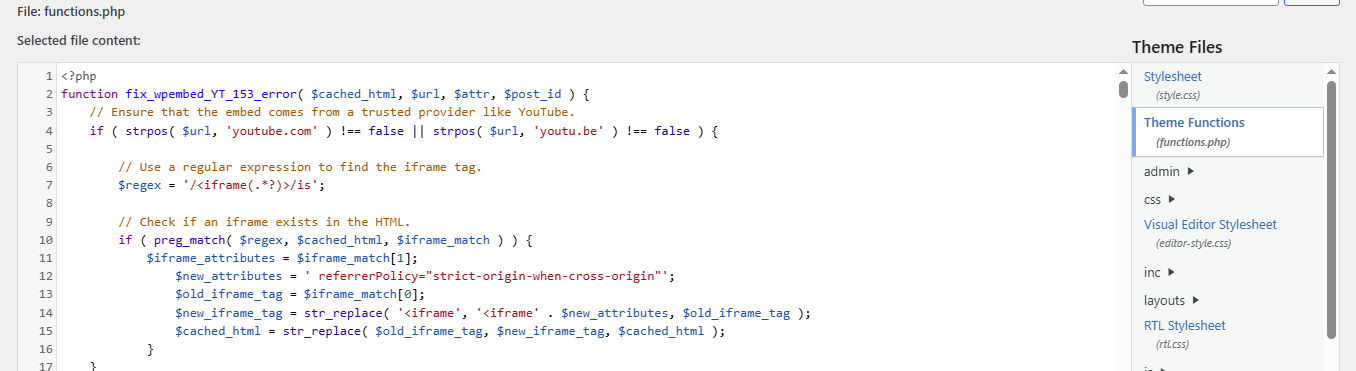
Save and Finish. Your video should play properly like this one now. Let us know if it fixes for you. Thanks!
I opened the blog today and found that all the YouTube videos have become a 153 error, and I thought the nodes were blocked. Later, I used the troubleshooting plugin to close all the plugins, and found that it was Jetpack, and finally confirmed that it was caused by the short code embedding function of Jetpack, so you can turn it off. Probably the reason is that there is another layer of the original article embedding logic, resulting in too many redirects.